
Cabine
Your Serato Library on a USB Stick for CDJs
You prepare your sets in Serato. Tonight the booth has CDJs or an XDJ.
Cabine puts your crates, hot cues and grids on a USB stick for them, from your Mac, without rebuilding your library in Rekordbox.
In Cabine, choose File, then Export to USB Stick. Pick the stick, tick the playlists for the night, and press Export. The dialog shows where the stick plays before you start.
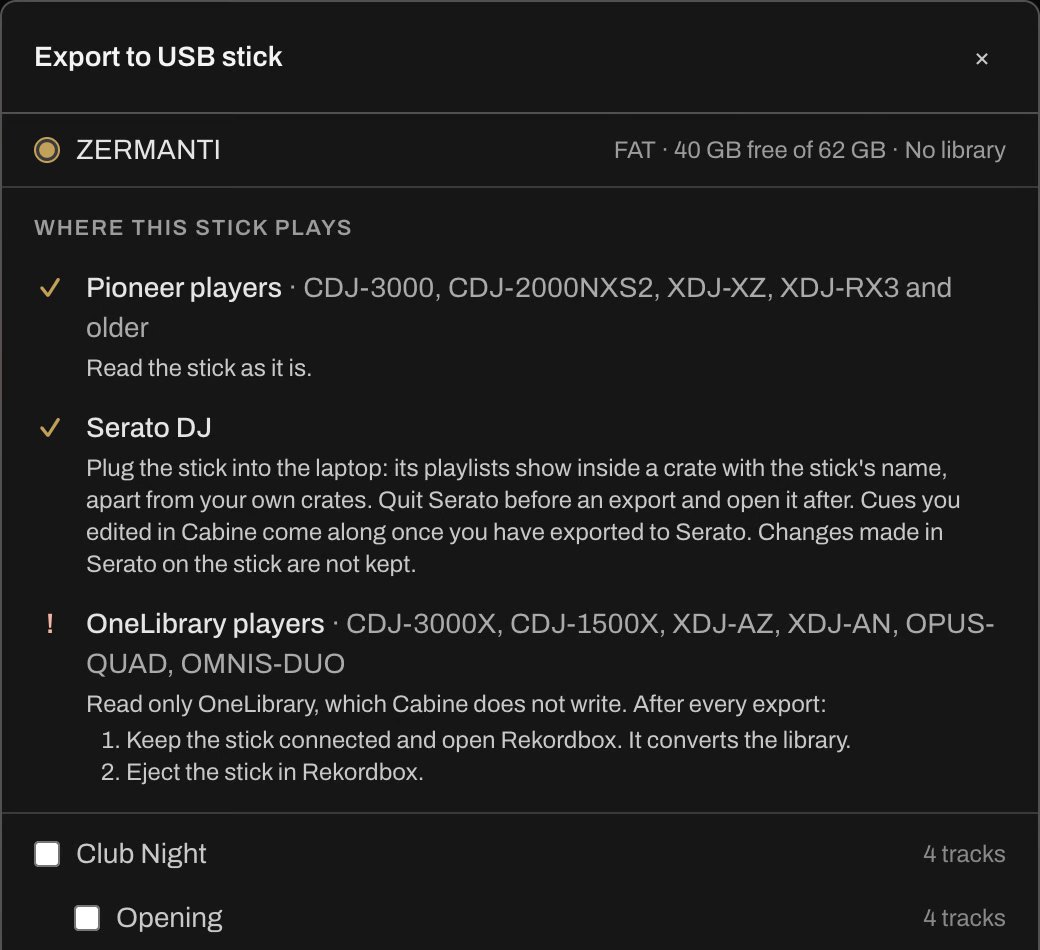
Which Pioneer DJ and AlphaTheta players read the stick
Plug in and play
These players, and older Pioneer DJ players, read the Device Library that Cabine writes.
- CDJ-3000
- CDJ-2000NXS2
- XDJ-XZ
- XDJ-RX3
Open Rekordbox after each export
These players read only OneLibrary. Keep the stick connected to your Mac and open Rekordbox, which converts the library on the stick. Then eject the stick in Rekordbox.
- CDJ-3000X
- CDJ-1500X
- XDJ-AZ
- XDJ-AN
- OPUS-QUAD
- OMNIS-DUO
We tested the stick on an XDJ-RX3, and in Rekordbox and Serato on Mac and Windows. The CDJ-3000 and CDJ-2000NXS2 are tested by the users of baken, the open-source library Cabine uses to write the Device Library.
What goes on the stick
- A Rekordbox library in the Device Library format, the one Pioneer DJ players read. Rekordbox on a computer opens it too.
- A Serato library with the same crates, so the stick also opens in Serato, for the nights the booth has a Serato setup.
- Your Serato crates, as playlists, nested and in the same order.
- Hot cues, up to eight per track.
- Beatgrids, from Serato when the track has one.
- The audio files.
Cabine is in beta, for Macs with Apple Silicon and macOS 15 Sequoia or later.
Beta
Join the beta
Leave your email, and we'll let you know when you can get Cabine.
We use your email only to write to you about Cabine, and we delete it when you ask. Privacy policy
You're on the list.
Thanks for signing up. We'll let you know when you can get Cabine.
While you wait
Tell a DJ friend
Know someone whose library could use some order? Send them the Cabine page.
Email them the link