For drum teachers
What you teach in class, practiced at home
Your students take the exercise from the lesson home and play it with Rudra on their own device, in their own language. With an electronic drum kit connected, they see every stroke the moment they play it: early, late, miss, or on time.
In class and at home
One exercise, both places
In the lesson
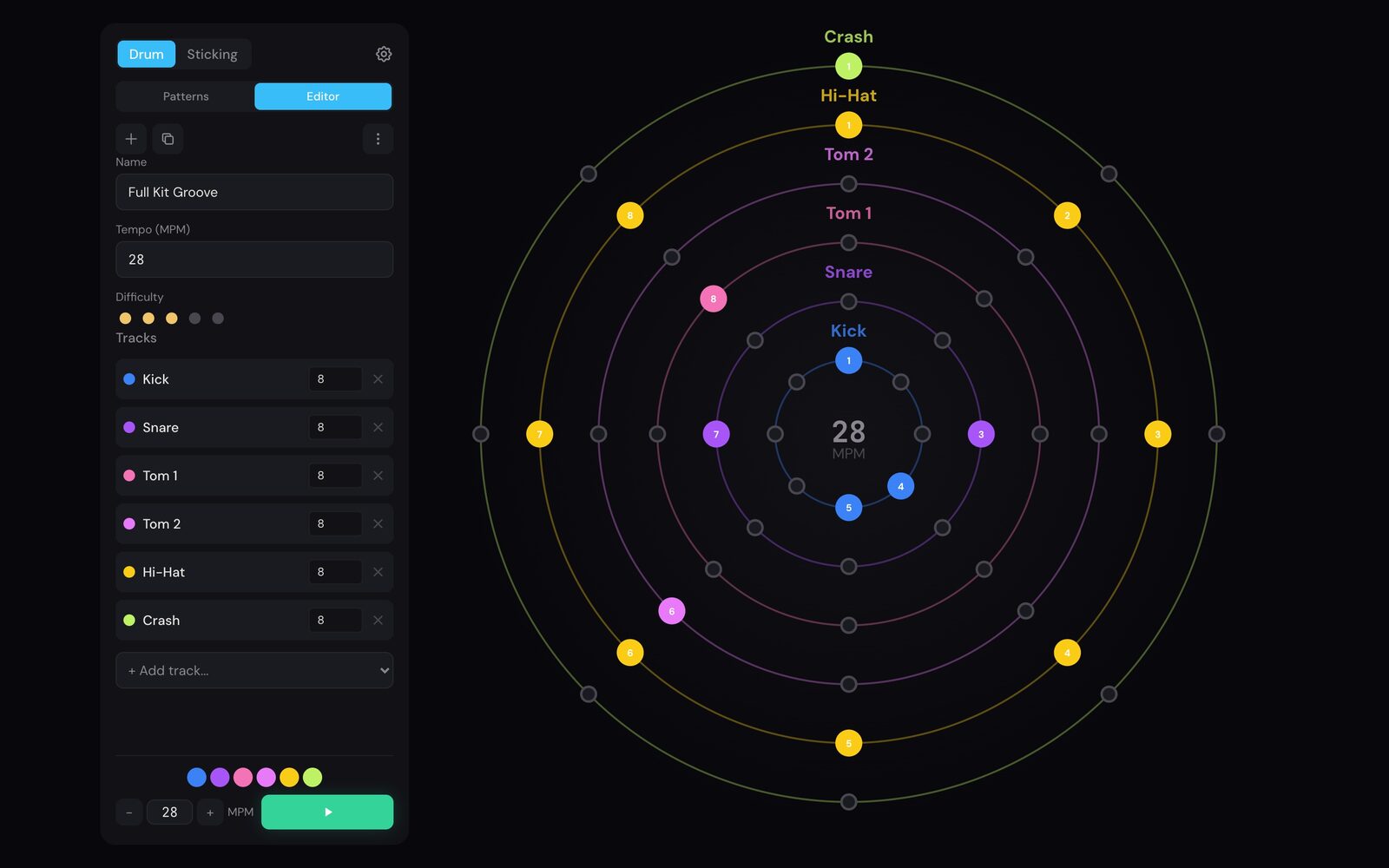
Write the exercise in the pattern editor, with the drums, subdivision, sticking, and start tempo you want. Play it while you explain it. Some teachers put one device on a speaker and a projector so the whole class sees the pattern and plays along.
At home
The student opens the same exercise on their phone or tablet. With an e-drum kit or MIDI pad, they see where every stroke lands. They can slow it down, mute a drum, and repeat the hard bar. Without a kit, Rudra plays the pattern to practice along with.
The rudiments you teach
The sticking library follows the Percussive Arts Society rudiment sheet, with rolls written out in full.
How it works
From your exercise to their practice
-
Write it
Build the exercise in the pattern editor and set the tempo your student starts at.
-
Send it
Export it as a file and send it by message, email, or a shared folder for the class.
-
They play it
Students import the file, press play, and see where every stroke lands while the pattern runs.
The editor, import, and export are part of Rudra Pro. Every student on a class license has all three.
Class licenses
One invoice, one link per student
The app stores do not sell seats to teachers, so we sell class licenses directly. You get one invoice and one license link for each student.
No accounts
The student opens their link and Rudra Pro is active. The key can also be typed into Settings by hand.
One end date for the class
The whole class starts and ends on the same date, for example the end of the school year.
Nothing renews
When the licenses end, Rudra returns to the free set. Nobody is charged automatically.
Offline, no student data
Patterns and settings stay on the device. Rudra has no server and collects no data.
iPhone, iPad, and Android
Mixed classes are fine. Each license works on the student's own device.
Works with their e-drum kit
Rudra includes mappings for common electronic kits. Any other kit or pad can be mapped by hand in Settings.
Getting a class set up
-
Get in touch
Tell us about your class or school. We work out the details with you.
-
Receive a quote
We send you a quote for the licenses we agree on.
-
Pay, receive the links
Once it is paid, you get the invoice and one license link per student. We email each student their link, or send you the full list to hand out yourself.
Pricing
Individually or by the class
Rudra Pro
€4.99 a month or €44.99 a year
Bought in the App Store or Google Play by the student or the parent. Cancel any time. Prices vary by country.
Class license
On request
Discounted from the individual price. We agree the price with you for your class or school. One invoice, no store accounts involved.
Before you get in touch
- Timing feedback needs an electronic drum kit or MIDI pad connected to the device. Rudra reads the hits it receives over MIDI and does not listen through the microphone. Without a kit, Rudra still plays the pattern to practice along with.
- Rudra does not send practice results back to you. Students see their own feedback on their own device.
- A student who loses their link can have it sent again. Write to us with the class and the seat.
Class licenses
Get Rudra for your class
Write to us about your class or school. We reply within a few business days.
Write to us