Rudra
Drum practice with instant timing feedback
Pick a rhythm pattern and play along on your e-drum kit. Rudra shows every hit the moment you play it: early, late, miss, or on time. For iPhone, iPad, and Android, in English, French, Portuguese, and Spanish.


Starter patterns and level 1 rhythms are free. Rudra Pro unlocks the full library, the pattern editor, and all four rhythm levels.
How it works
Pick a pattern and play along until you master it
-
Pick a pattern
Choose a groove or a rudiment and set the tempo.
-
Connect your kit
Plug in an e-drum kit to see feedback on every hit. Without one, Rudra plays the pattern for you to follow.
-
Practice and improve
Slow it down and repeat. Mute drums to focus on one part, then bring the others back bit by bit. With a kit connected, you see where each hit lands.
Play along
Built-in grooves, feedback on every hit
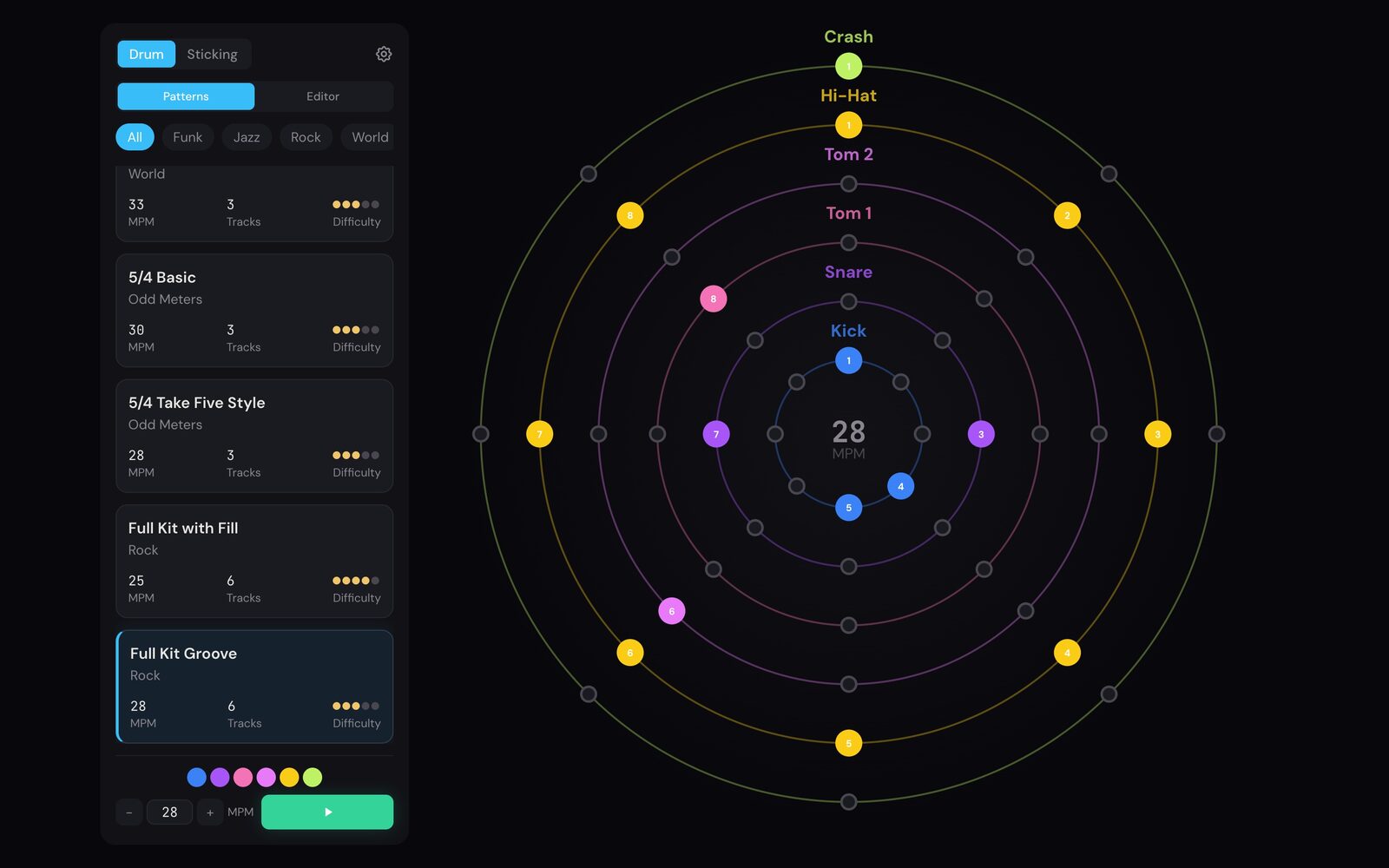
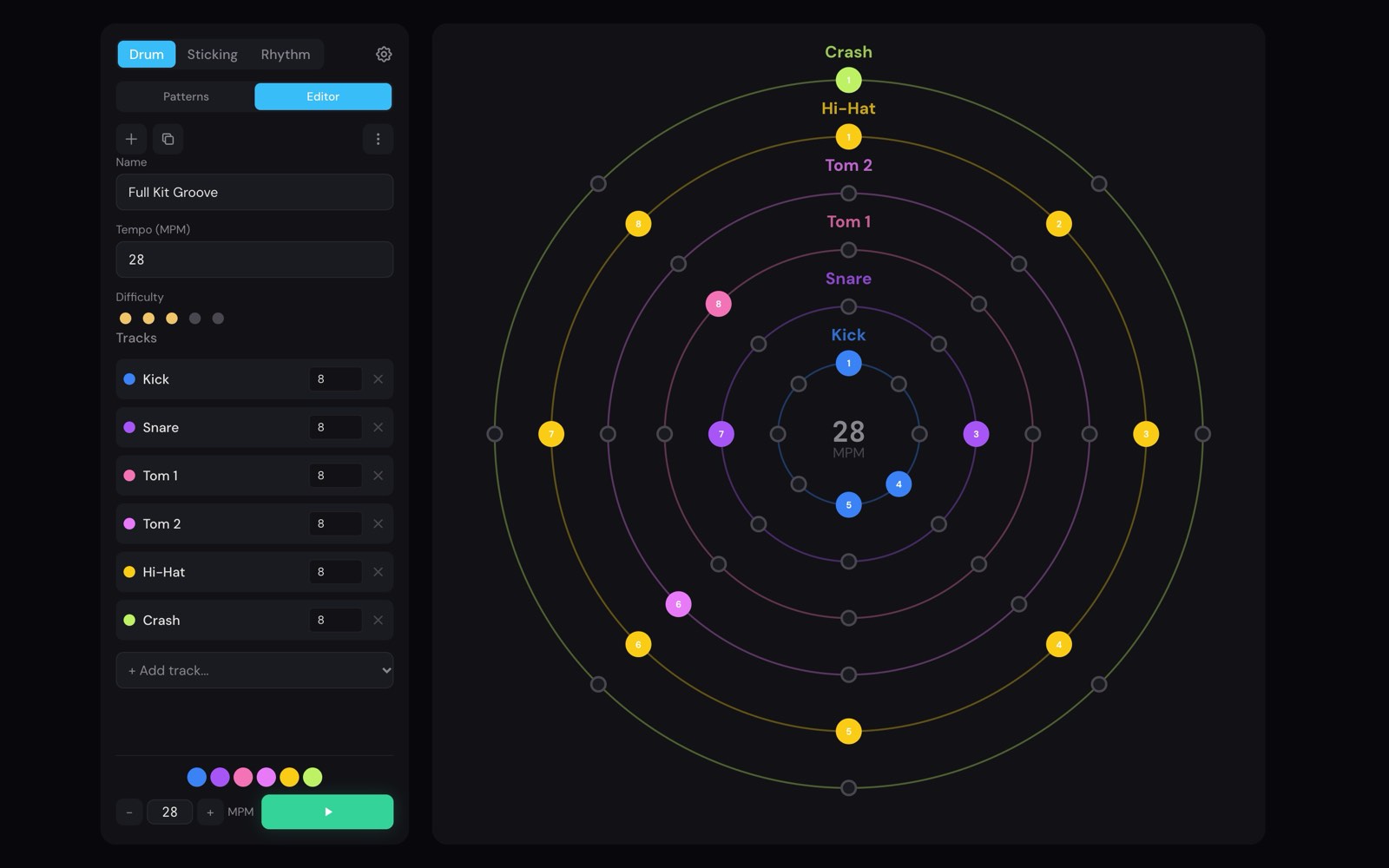
Patterns across funk, jazz, rock, and world styles. Each drum sits on its own ring in a circular view, so you see the whole groove at a glance. Adjust the tempo and mute any drum. Every stroke shows as early, late, miss, or on time while you play.
Sticking and rudiments
Train your hands
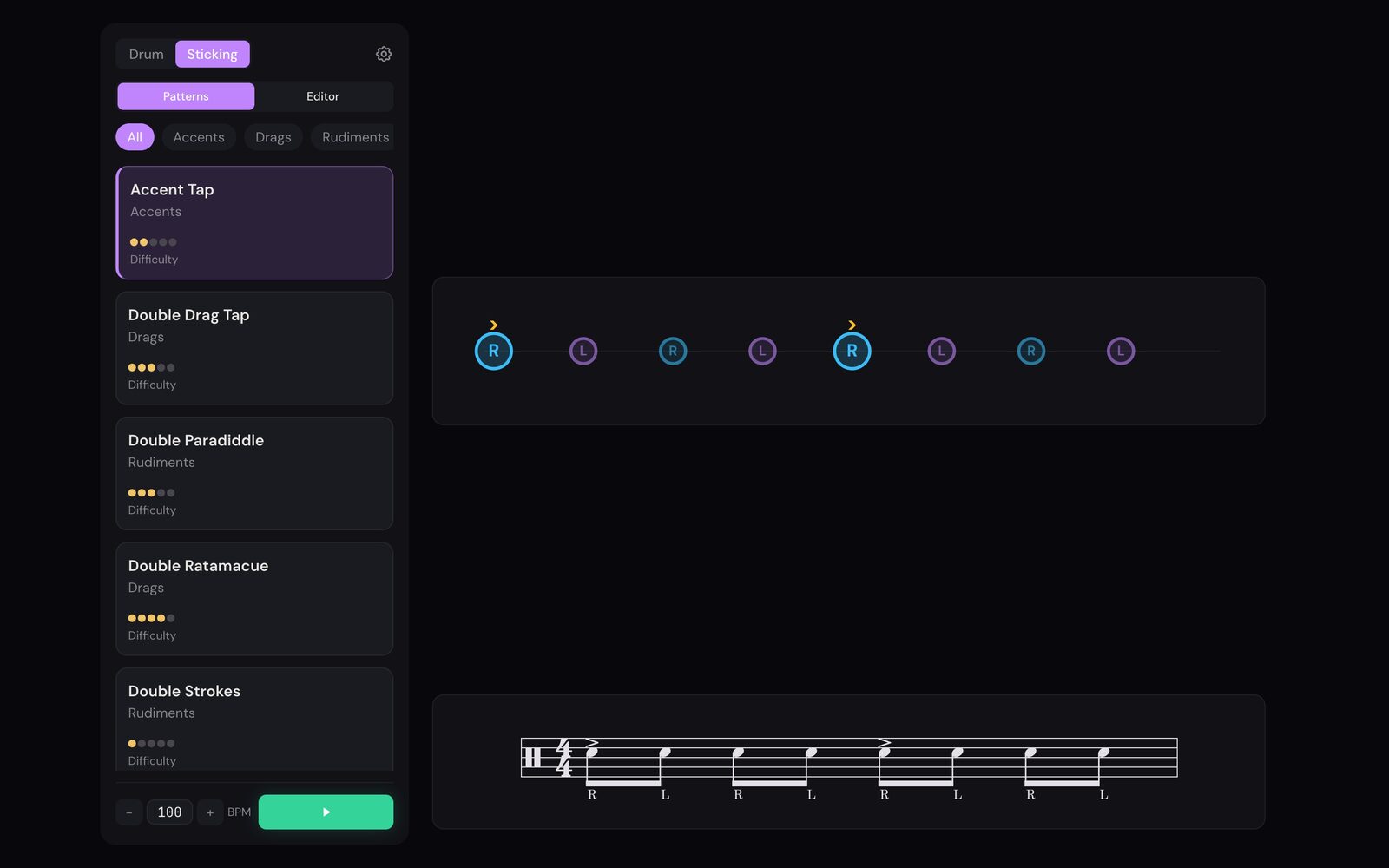
Accents, drags, paradiddles, and other rudiments. Each exercise is on a staff with the hand under every note, so you read it the way your teacher writes it.
Rhythm generator
Read new rhythms
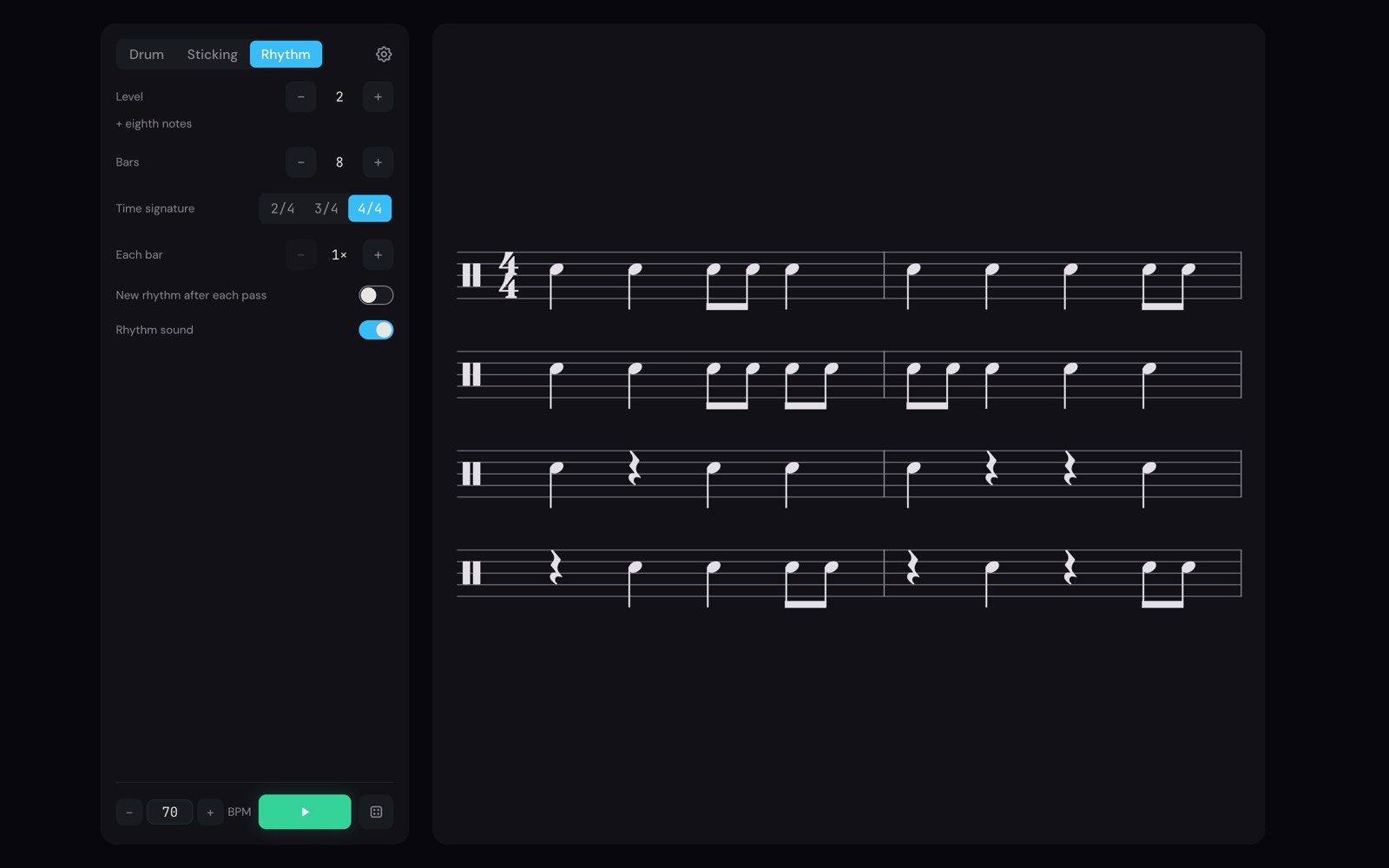
Rudra writes a new rhythm on a staff for you to read and play. Choose the level, from quarter notes to sixteenth notes, the time signature, the number of bars, and how often each bar repeats. Roll the dice for the next one. With an e-drum kit, you see under each note if you were on time, early, or late.
Level 1 is free. All four levels are part of Rudra Pro.
Pattern editor
Write your own
Build patterns with any combination of drums and subdivisions. Set the name, tempo, and difficulty. Import and export patterns to share them with other drummers or a teacher.
Part of Rudra Pro.
Electronic drum kits
Works with your e-drum kit
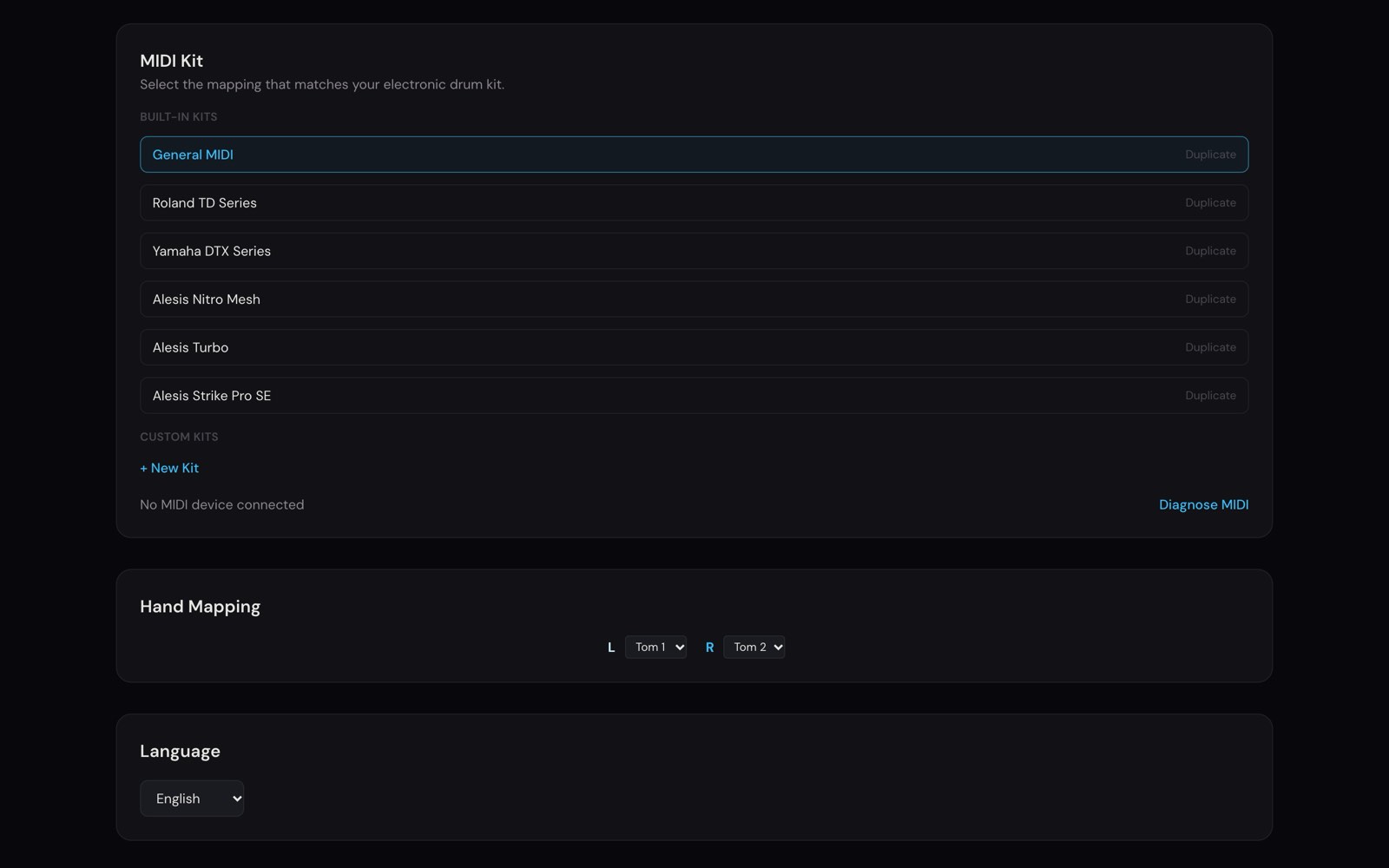
Connect an e-drum kit over MIDI. Rudra ships with mappings for common kits and lets you build a custom mapping for anything else. Audio latency calibration keeps the feedback tight.
At a glance
Practice wherever you are
In your language
The whole app in English, French, Portuguese, or Spanish, so you always understand what you are practicing.
Works offline
No account and no internet needed. Patterns and settings stay on your device.
iPhone, iPad, and Android
On phones and tablets, from the App Store and Google Play.
For teachers and schools
Rudra for your whole class
Buy Rudra Pro in bulk for your students, at a discount on the individual price. One invoice, and every student gets their own license.
See class licensesWhy we built this
Rudra started with a student, a drum teacher, and a problem nobody had solved well.
When my son started learning drums, his teacher used a mix of separate tools. None of them worked together, and none gave real feedback on timing. Students had no good way to practice at home and know if they were improving.
So I started building. After months of development and testing with real lessons, Rudra became the tool we wished we had from the start.
Pricing
Free to start
Free
No cost, no account
- Starter set of patterns
- Instant timing feedback
- Sticking and rudiments
- E-drum kits over MIDI
- Rhythm generator, level 1
Rudra Pro
From €4.99 a month or €44.99 a year
- Everything in Free
- Full pattern library
- Pattern editor
- All four rhythm levels
- Import and export patterns
Rudra Pro is an auto-renewing subscription billed through the App Store or Google Play. Prices vary by country and are shown in the app. Cancel any time in your store account settings.
Questions
Before you download
- Does Rudra work with an acoustic drum kit?
- Rudra plays the pattern for you to follow on any kit or practice pad. The timing feedback needs an electronic drum kit connected to your phone or tablet: Rudra reads each hit over MIDI.
- Which electronic drum kits work with Rudra?
- Kits that send MIDI to your phone or tablet. Rudra has built-in mappings for General MIDI, Roland TD Series, Yamaha DTX Series, Alesis Nitro Mesh, Alesis Turbo and Alesis Strike Pro SE kits. Any other kit can be mapped by hand in Settings.
- Can I learn drums with Rudra?
- Rudra is for practice, next to a teacher, a method book or lessons you follow. It gives you grooves and rudiments to play in time, and new rhythms to read, from quarter notes to sixteenth notes.
- Which rudiments are in Rudra?
- 39 of the 40 rudiments on the Percussive Arts Society list, with the hand under every note. Nine rudiments are free. See all the rudiments with their sticking
Download
Available now
Free to download. Start with the starter patterns and see where your timing lands.
iPhone and iPad
App Store
Android
Google Play
Rudra is available in Europe, including the EU, the UK, Switzerland, Norway, Türkiye, and Ukraine. Other regions will follow.